Edit safely
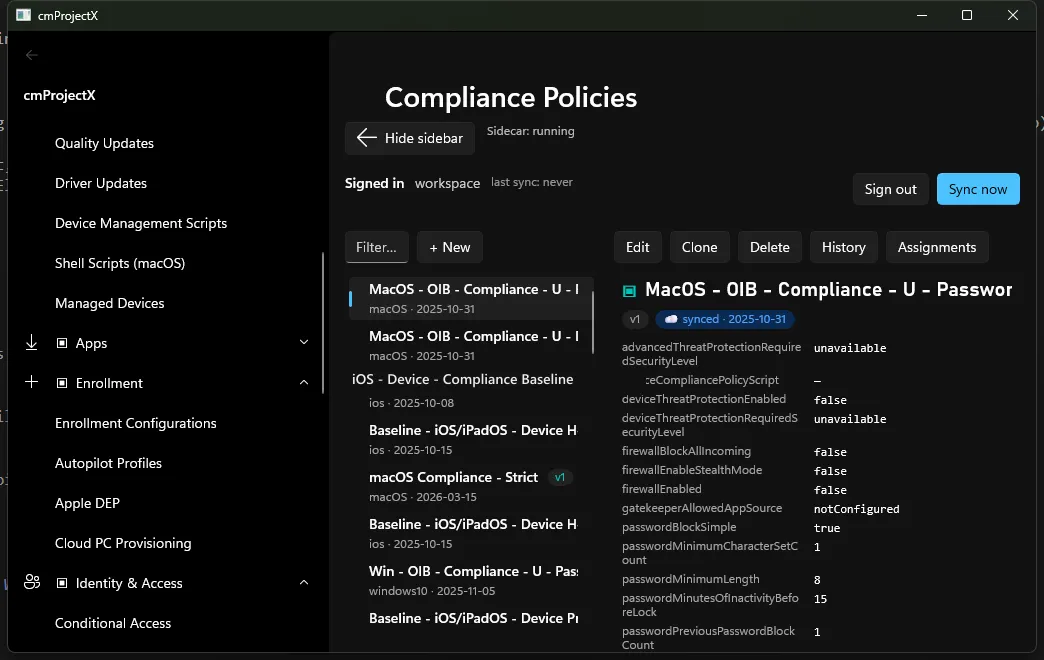
On a writable surface the detail pane gains a toolbar: Edit · Clone · Delete · History · Assignments. Every change you make is previewed, confirmed, and snapshotted before and after it touches your tenant.
The write path
Section titled “The write path”-
Edit opens the object’s normalised JSON in an editor.
-
Diff preview shows exactly what will change versus the current state — the same diff engine the drift view uses, so there are no surprises.
-
Confirm. A dialog summarises the change set in plain language before anything is sent.
-
Save. IntuneCommander
PATCH/POSTs the change, then captures a fresh snapshot — so the new state is itself in the time-machine.
Safety rails
Section titled “Safety rails”- Diff before write — no mutation happens without a preview.
- Optimistic concurrency — the object’s
@odata.etagis sent with anIf-Match; if someone else changed it first, you’ll be asked to re-fetch and re-diff instead of clobbering their change. - Undo via the time-machine — because each write is snapshotted, History → restore re-applies any earlier snapshot. Point-in-time rollback is a first-class feature, not an afterthought.
- Clone copies an object (ids stripped) as a starting point for a new one.
Next: Assignments →